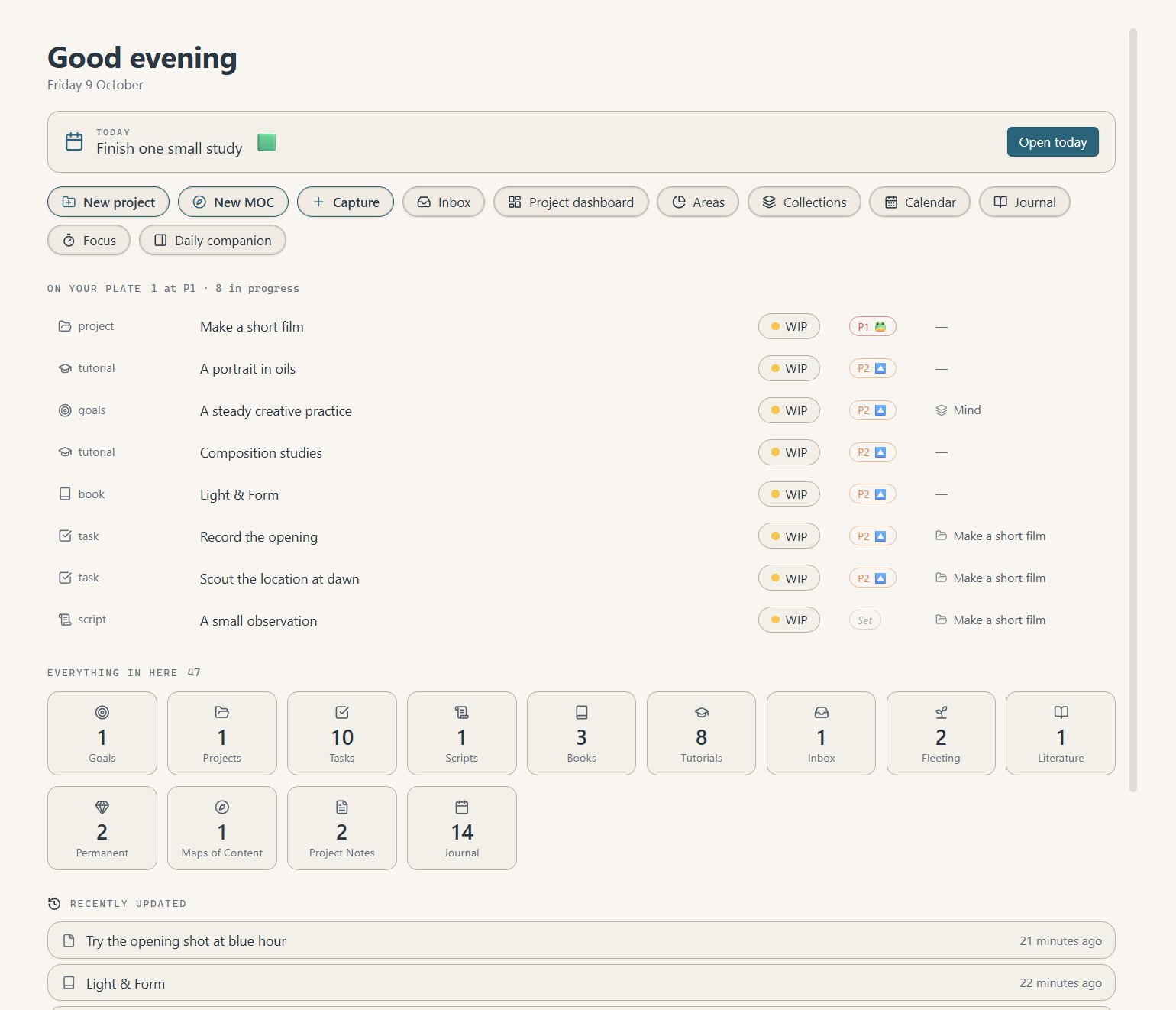
The Hub
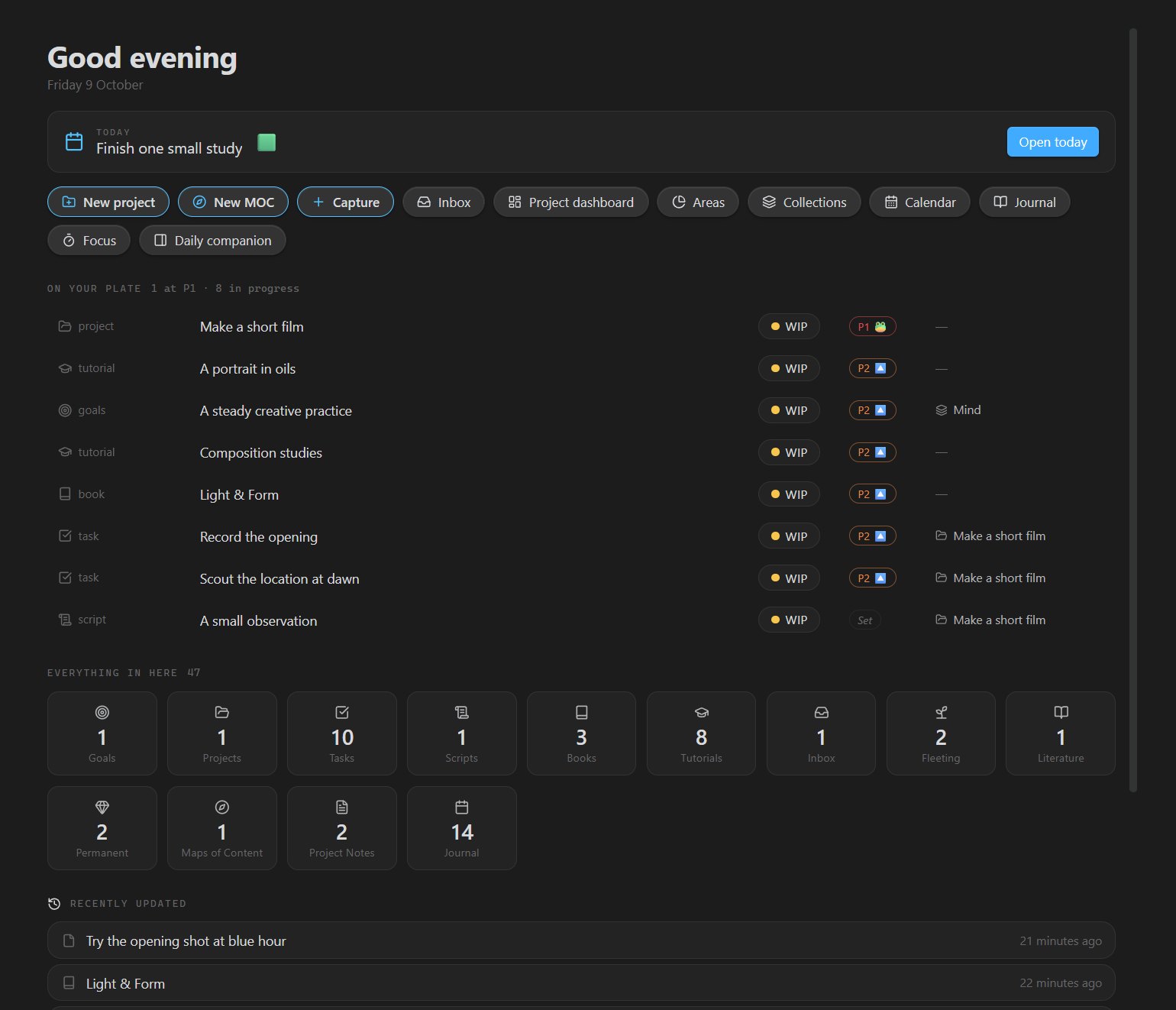
Start the day here.
Today's focus, everything in progress, and one-click ways into the rest — new project, capture, calendar, journal.
Prismathic · Free Obsidian plugin
A hub, connected project dashboards, collections and a journal over the Markdown you already have. No new app. No migration.
Coming soon to the Obsidian community store · join the list to hear the day it lands

The views
Open the work where it makes sense. Every view comes back to the same notes.
The Hub
Today's focus, everything in progress, and one-click ways into the rest — new project, capture, calendar, journal.
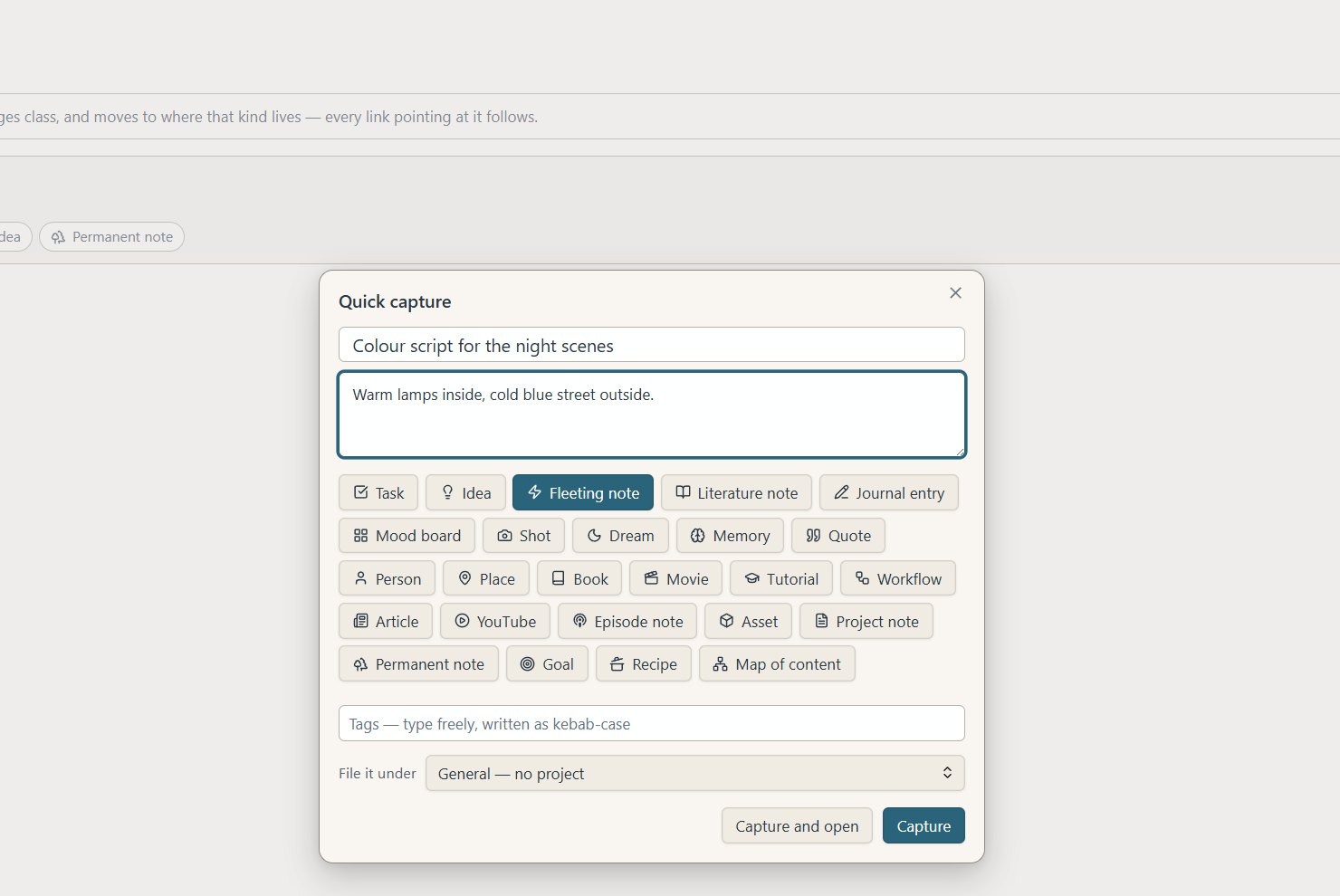
Capture & Inbox
Capture from anywhere. Everything lands in the Inbox until you choose what it becomes — with its source kept.
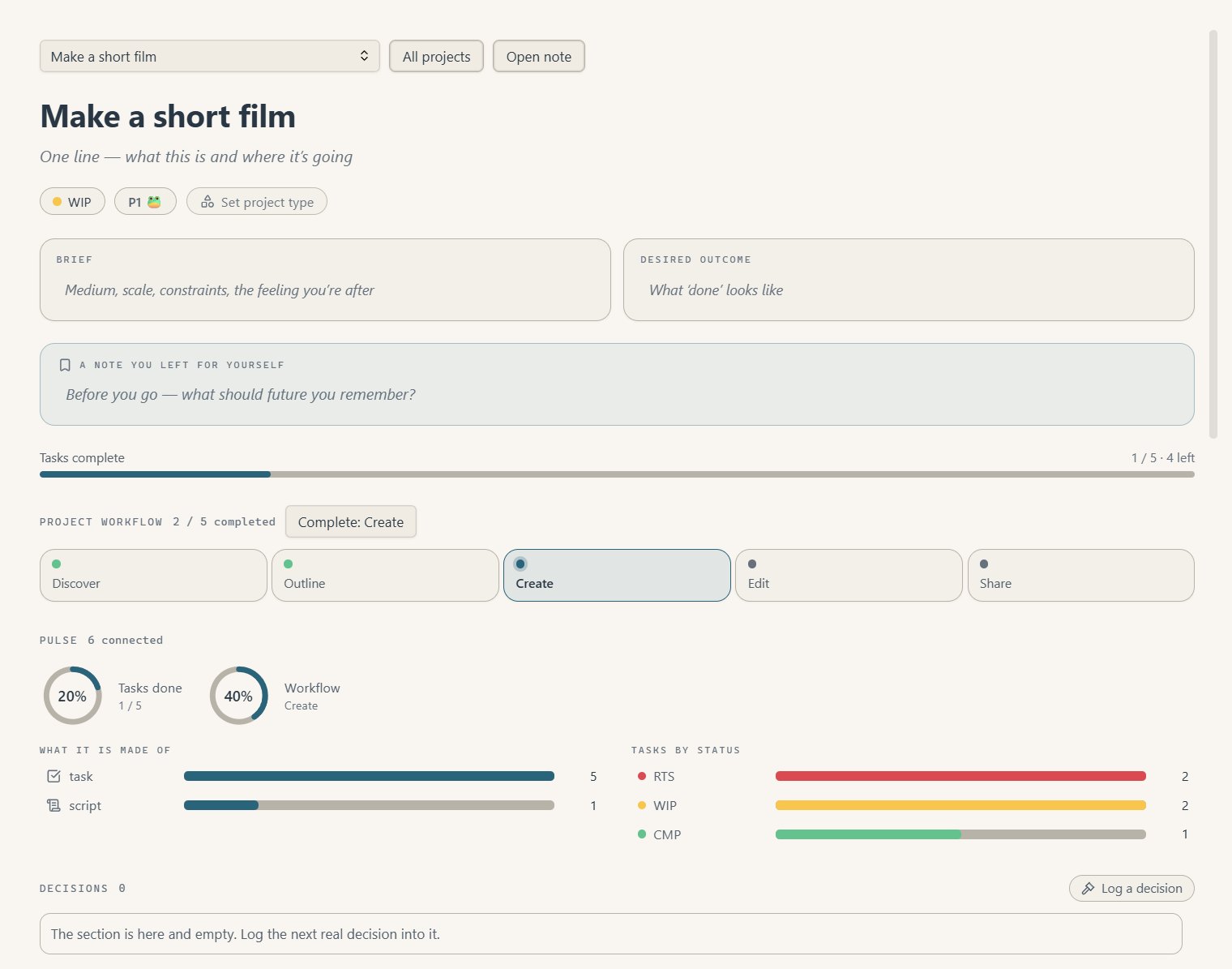
Project dashboard
The brief, the stages, a note to your future self, and every task — so you pick up exactly where you left off.
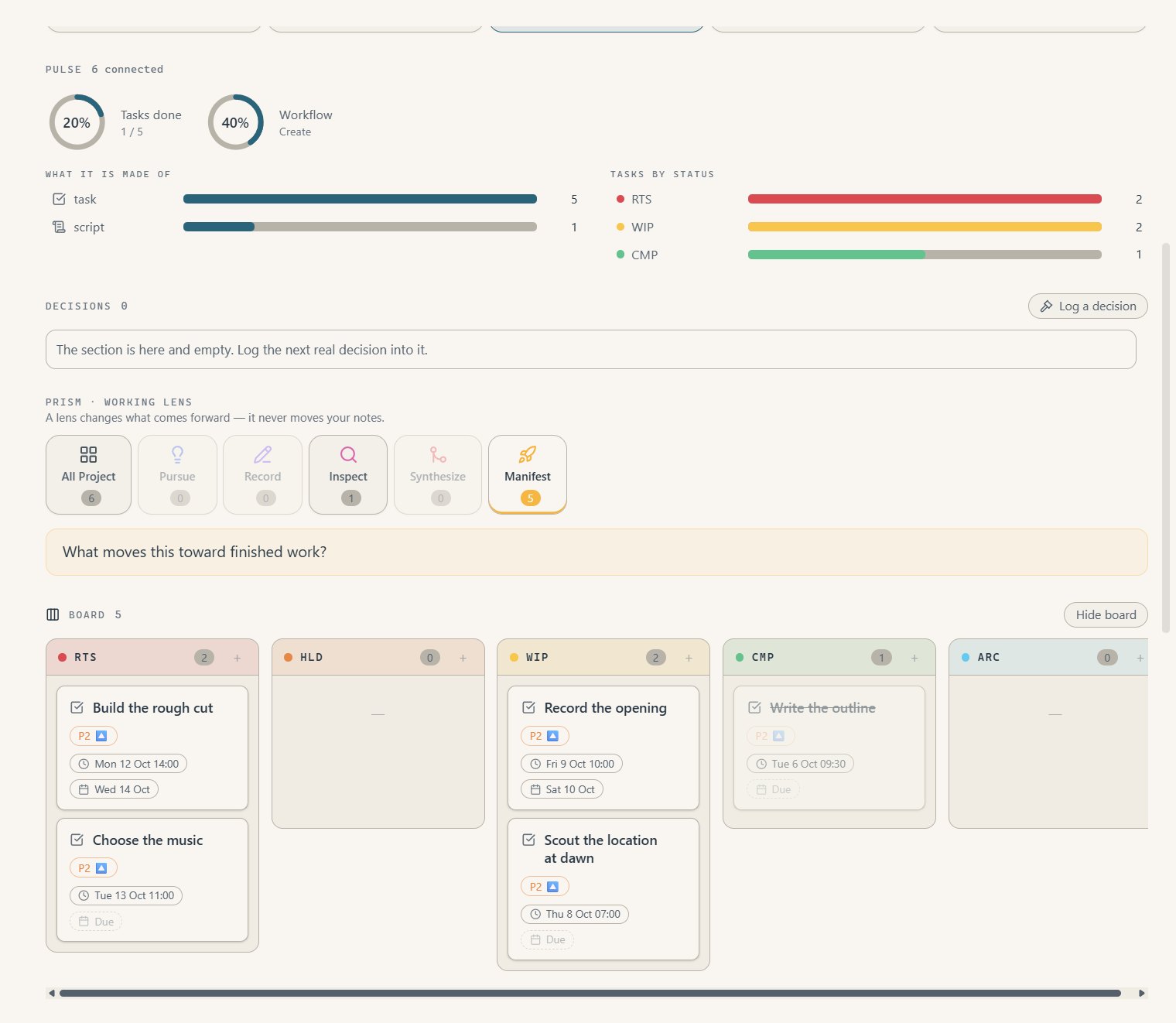
PRISM lens
Pick one of the five PRISM lenses — here, Manifest — and the project shows what moves it toward finished work.
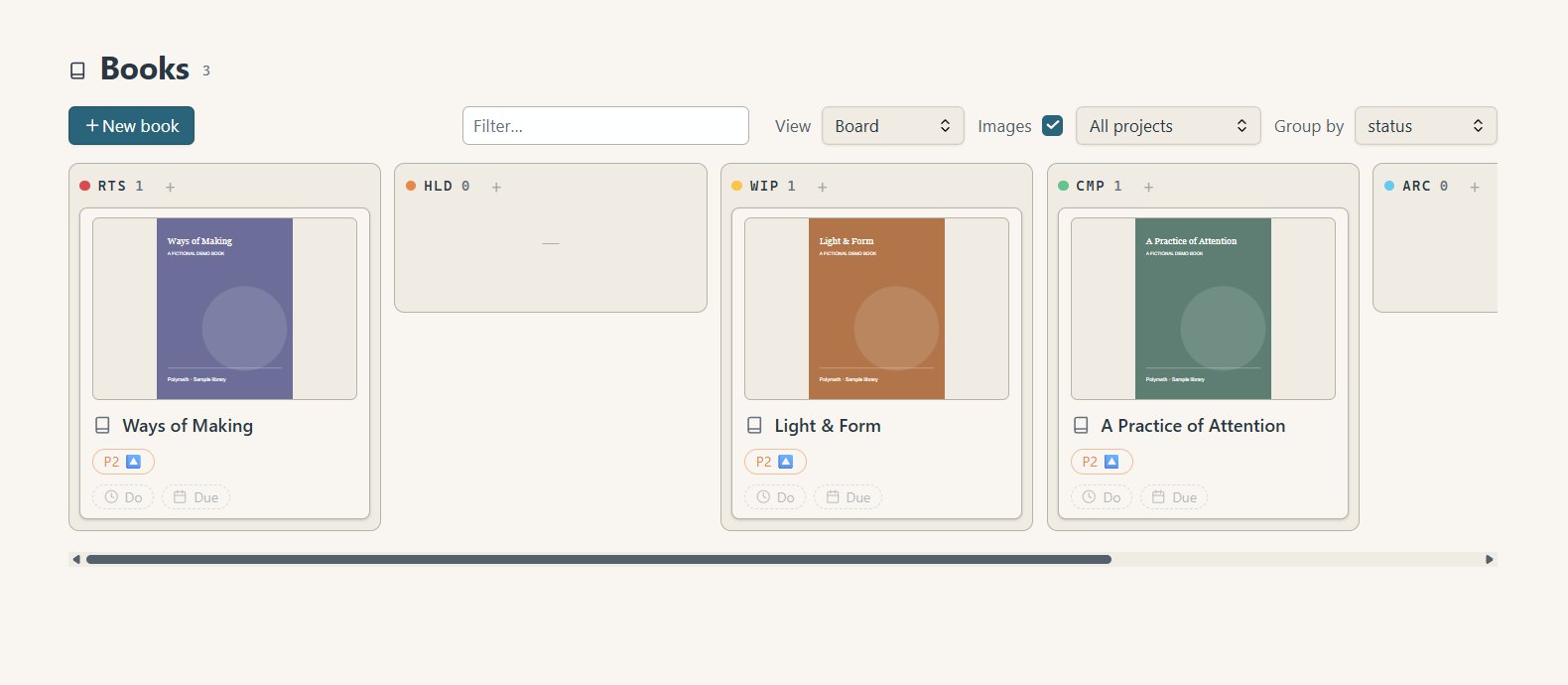
Collections
Books, films and tutorials as a board, sorted by where you are with them.
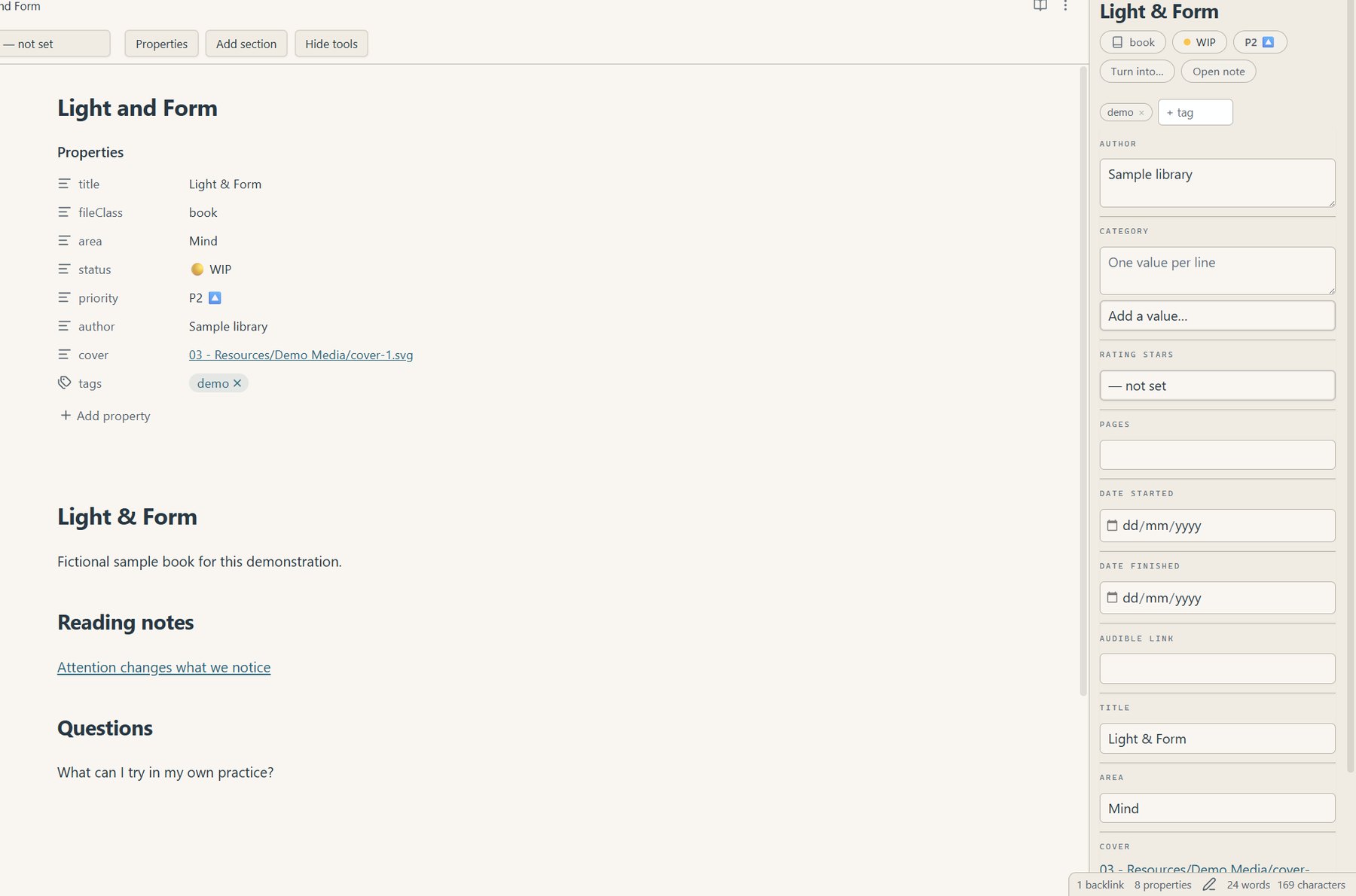
Prismathic view
Ratings, dates, statuses and links edited through proper controls — then straight back to writing.
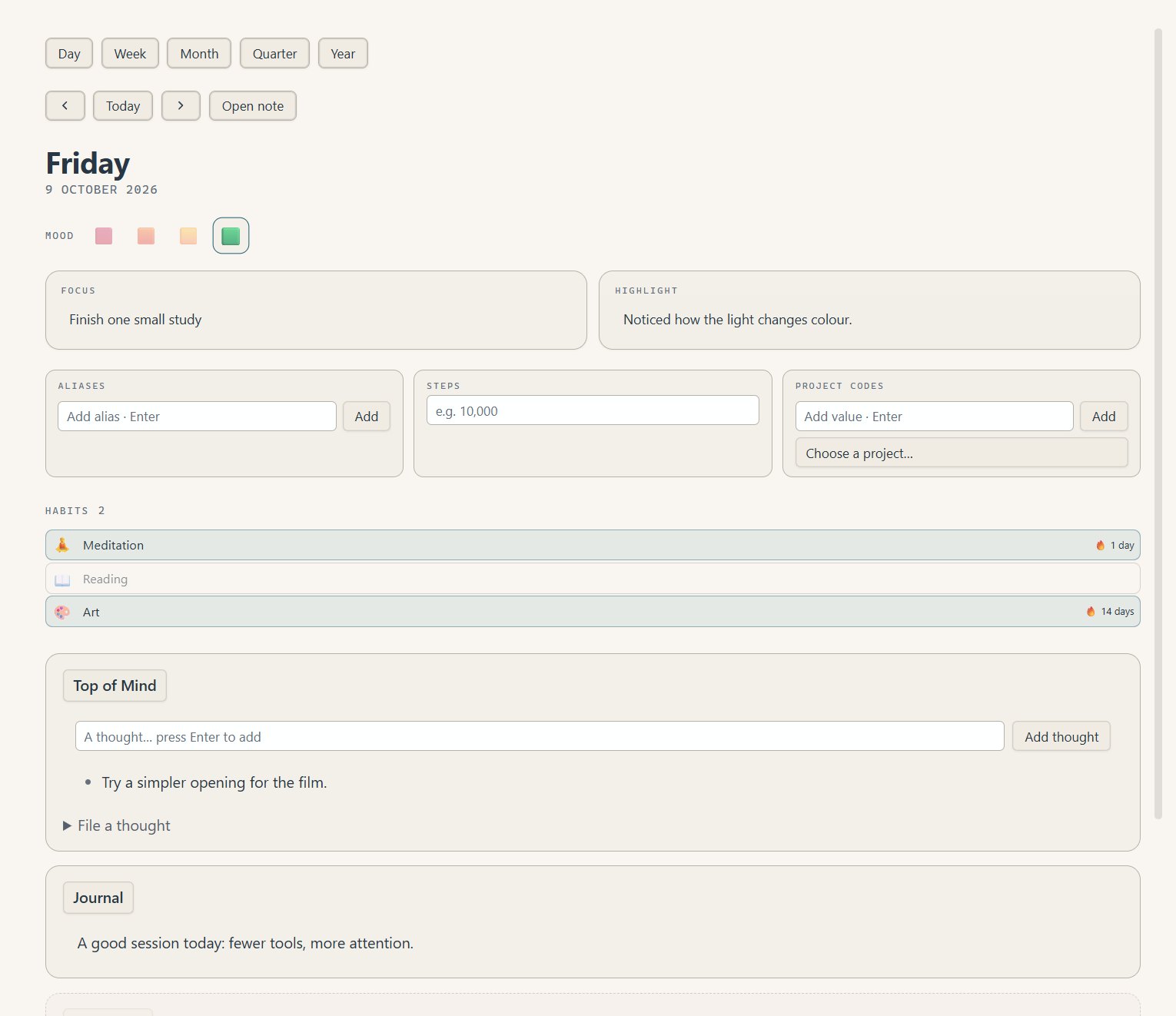
Journal
Mood, focus, habits and a running top-of-mind list — one tidy note per day.
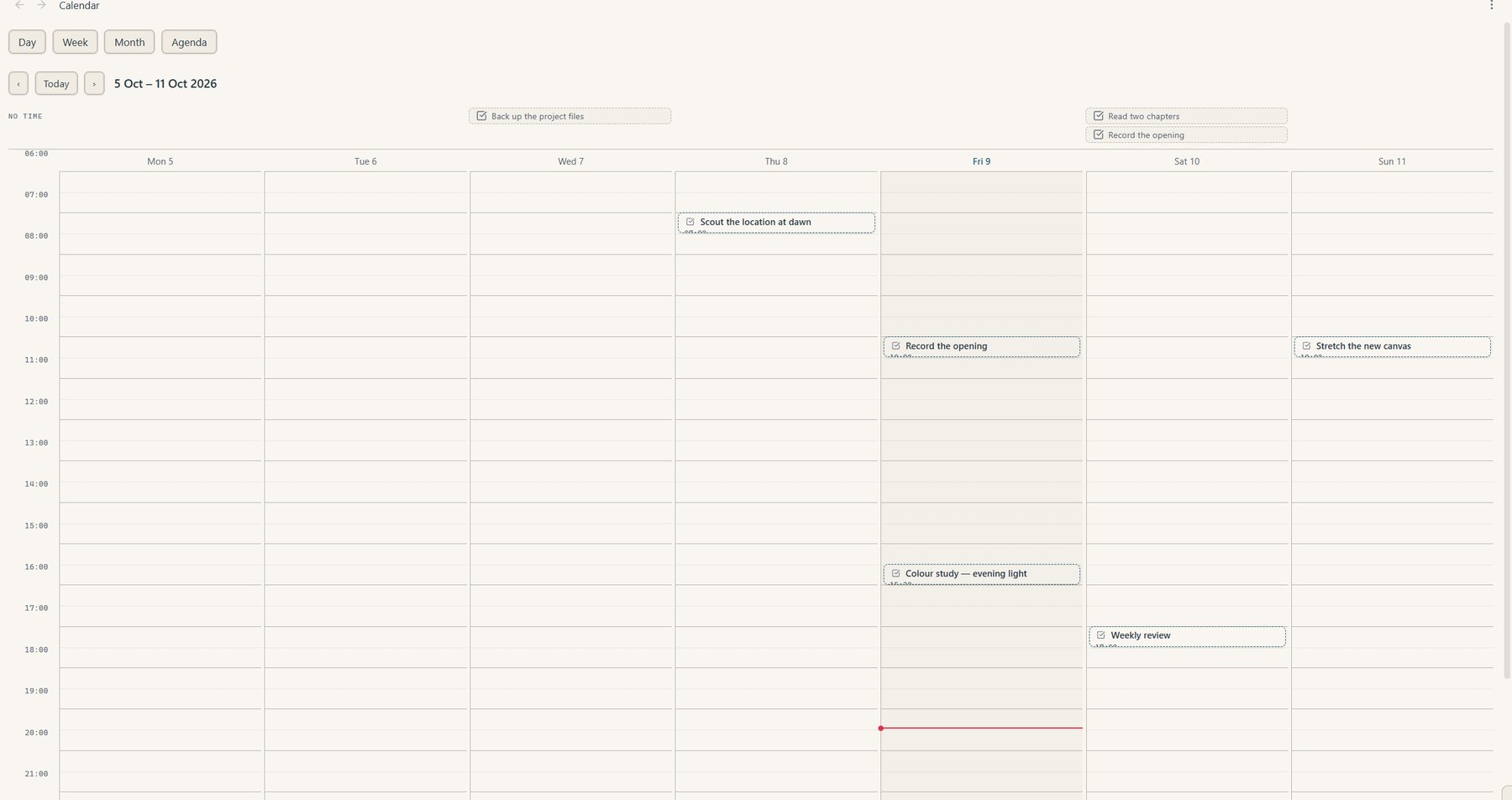
Calendar
Anything with a date appears here. Step back and forward a week at a time.
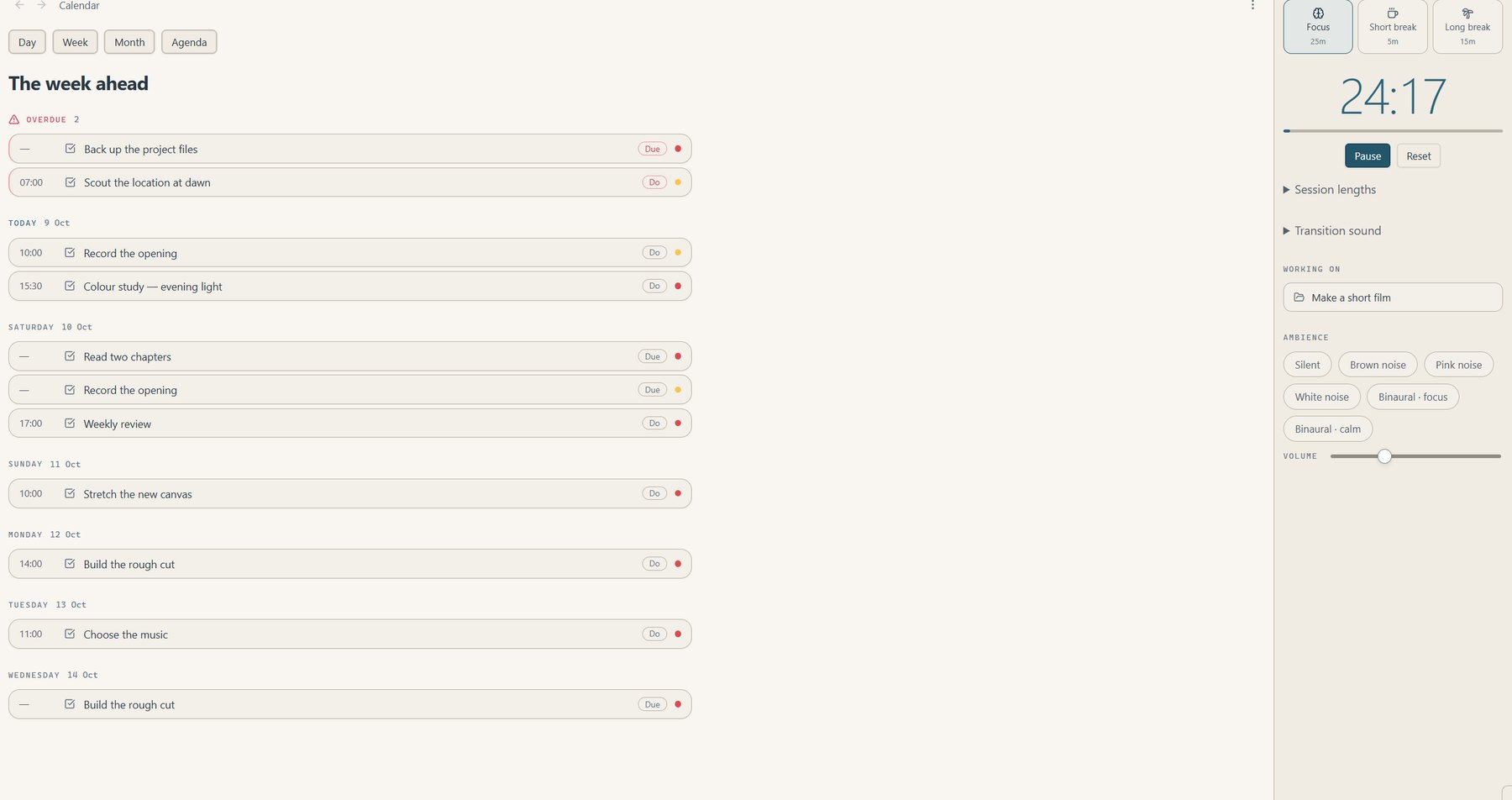
Agenda & Focus
The week ahead with overdue work flagged, and a focus timer right beside it.
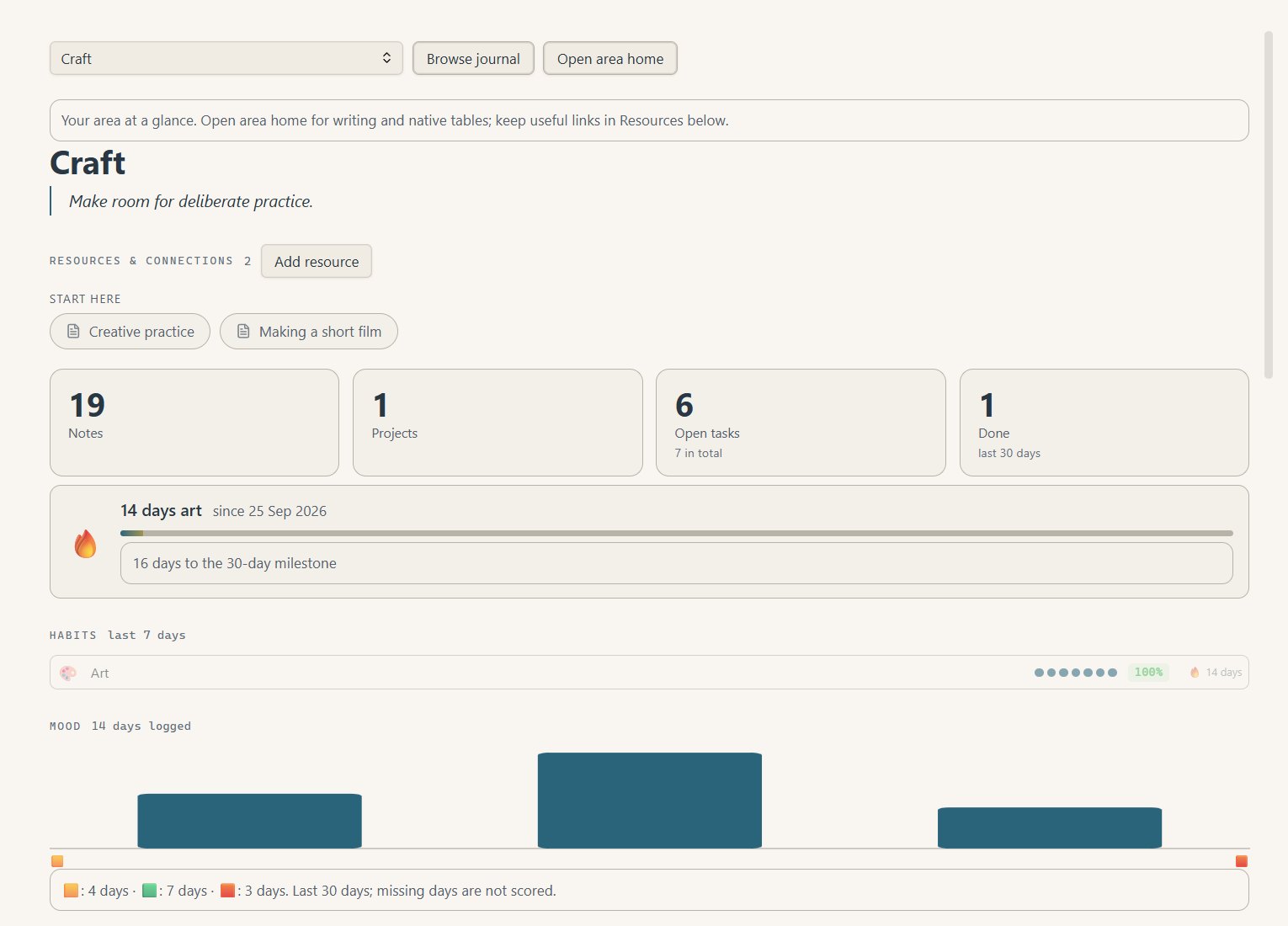
Areas
Craft, Mind, Body, Home — each with its own dashboard, habits, streaks and resources.
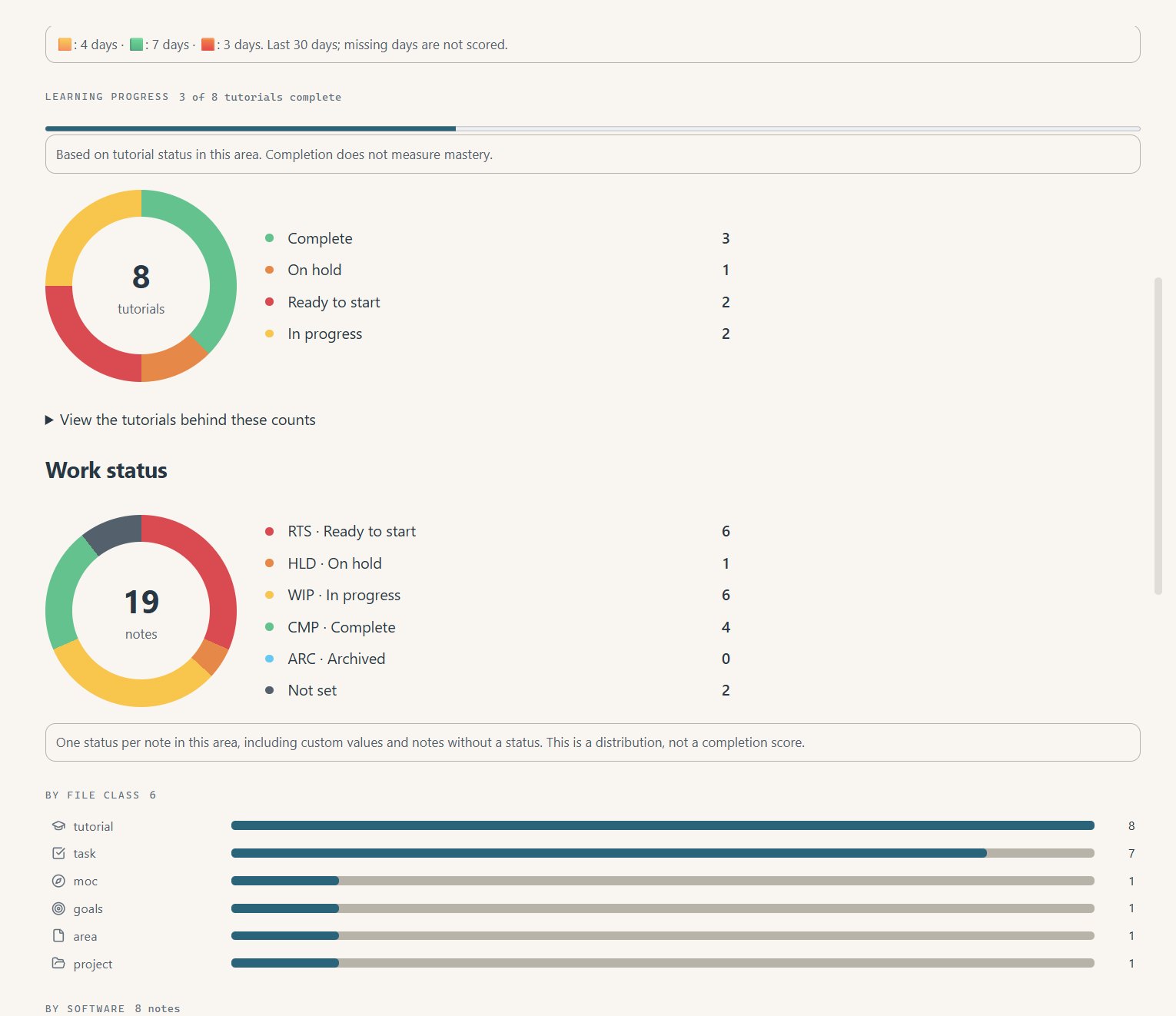
Area charts
Learning progress, work status and notes by type, drawn from your own notes.
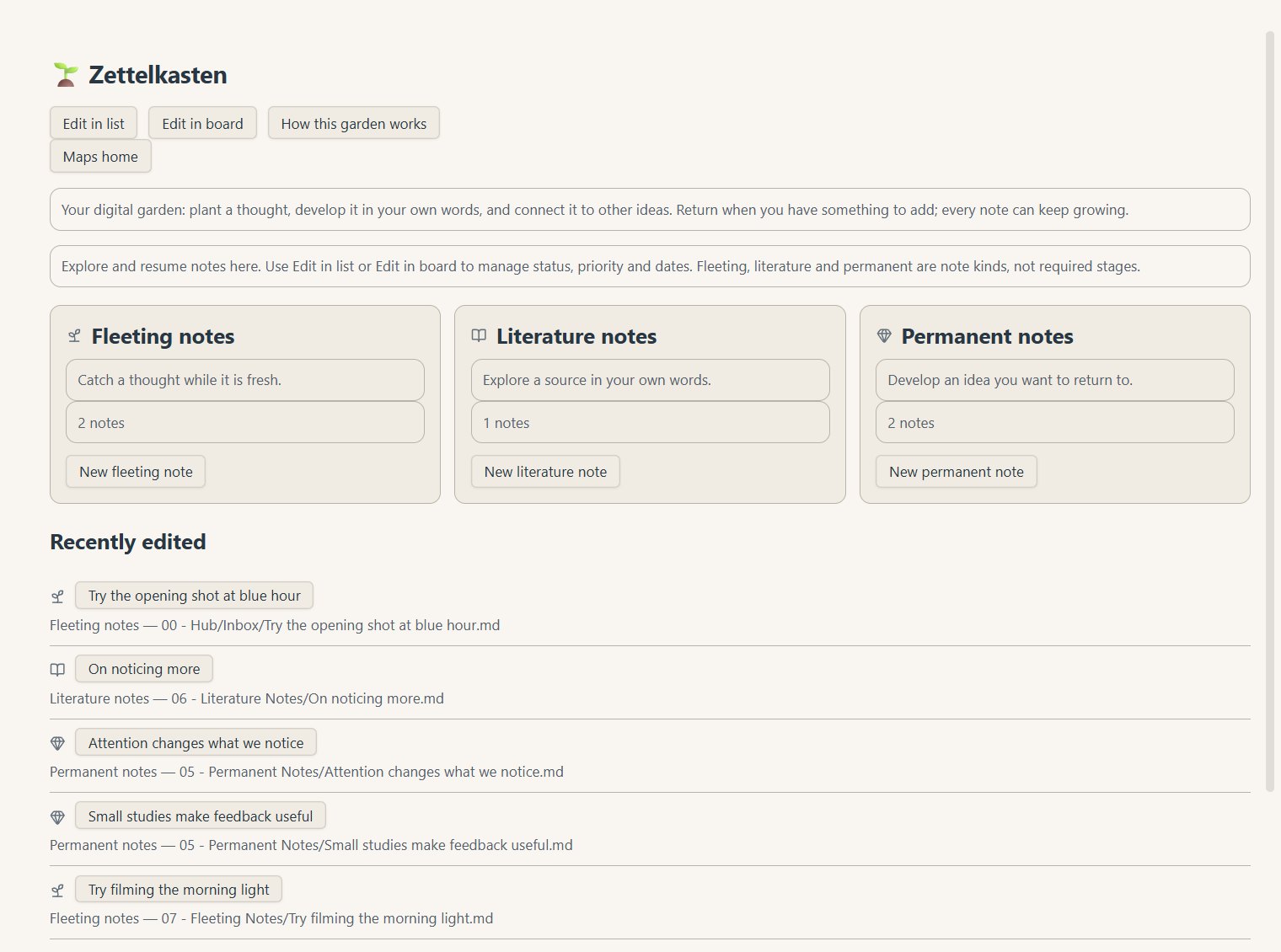
Zettelkasten
Fleeting thoughts become literature notes, then permanent ideas you can build on.
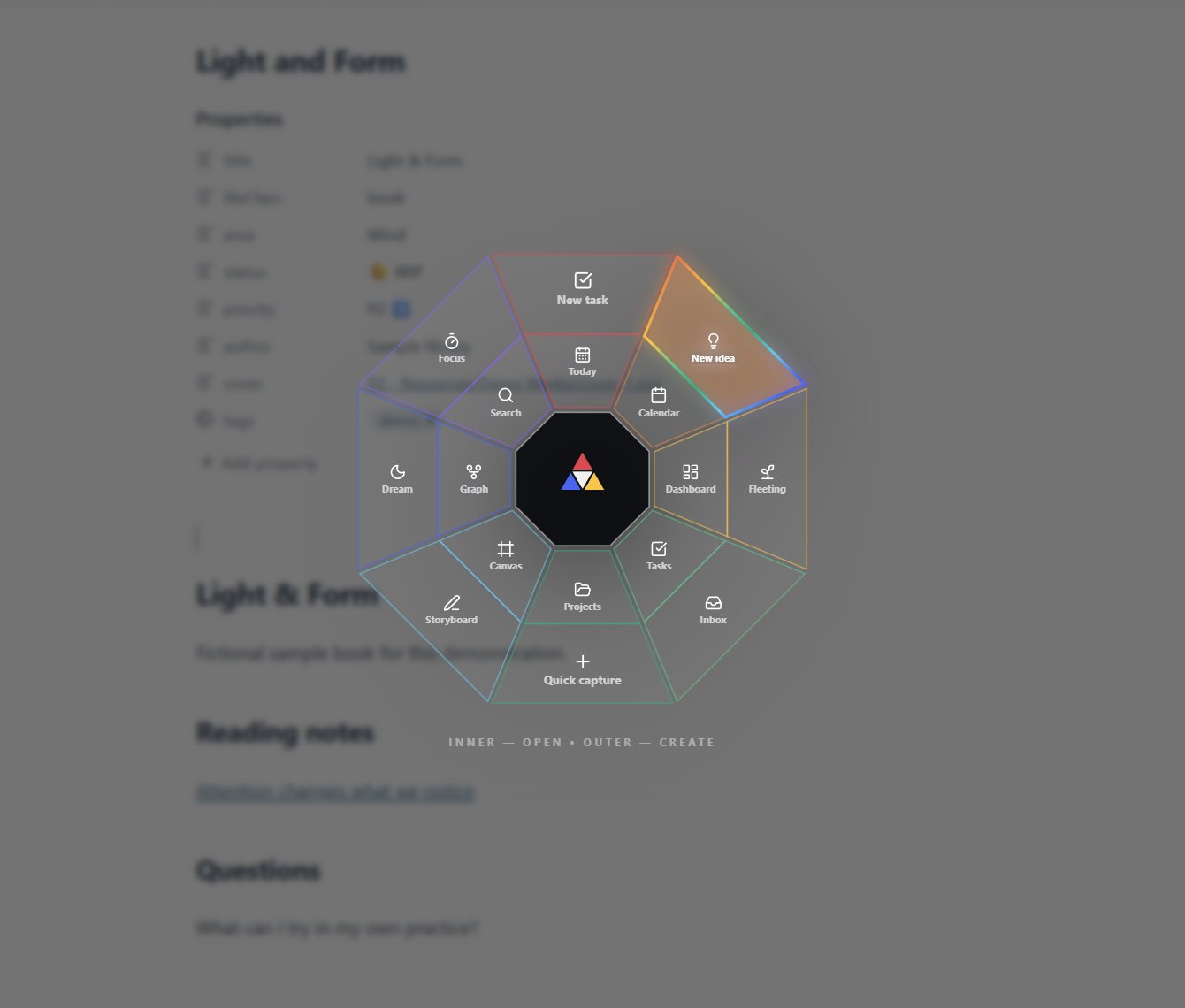
Prism Wheel
A radial menu over whatever you're working on — capture, search, jump to today, switch view.
Light & dark
Paper light or deep dark, one click. Prismathic looks like your Obsidian, not mine.
How it's built
Prismathic reads ordinary frontmatter. Project links, note types, dates, folders and status names are all configurable — it bends to your vault, not the other way round.
PRISM
Optional ways to look at the same work. Choosing a lens moves nothing — it changes what comes forward.
Where might you find something worth pursuing?
What should you keep before it disappears?
What does this material tell you?
What direction is emerging from these pieces?
What moves this toward finished work?
Free, always
The plugin on its own. Point it at the vault you already have and it works over your notes as they are.
€59 founding · buy once
The whole system Prismathic was built to drive — structure, templates, libraries and guides, already wired together.
A few good questions
Yes, and it'll stay that way. It belongs in the Obsidian community store, and charging for it would only make it harder to find. Polymath Vault is the paid part — the prepared system around it.
That's what it's for. It reads ordinary frontmatter, and the names it looks for — note types, project links, statuses — are configurable to match your own conventions.
It's in development and being prepared for the Obsidian community store. Join the list and you'll hear the day it lands.
Not verified yet. Tested device support will be listed before release.
Your notes are untouched. Prismathic reads and writes ordinary note properties, so everything it helped you record stays in the files.
Launch list
One email when Prismathic reaches the community store — and the occasional note about how it's being built.
Free, through Substack — unsubscribe any time. Or subscribe on Substack ↗