The app · free
Obsidian
A popular, free notes app. Your notes are plain files that live on your own computer, not on someone's server.
One practice. Many forms.
A ready-made second brain for Obsidian, the free notes app — your projects, references and half-formed ideas, already organised, so coming back to the work feels like coming home.
Coming soon. Join the founding list to hear first and keep the founding price.
What is it, exactly?
Three pieces, one download. You open it in Obsidian and start using it the same day — no building a system first.
The app · free
A popular, free notes app. Your notes are plain files that live on your own computer, not on someone's server.

The setup · what you buy
Everything set up inside it: the folders, templates, libraries, dashboards and guides, organised for projects, learning and ideas.

The plugin · included, free
Turns those notes into working views — the hub, project dashboards, calendar, journal and focus timer you'll see below.
Keep the context
The useful bit of a tutorial. The reason you made that decision. The idea you nearly forgot.
Creative work leaves a trail. Polymath Vault gives that trail a shape, and Prismathic brings it back into view when you return.
Open the project. See its notes, references and next actions together. Carry on.
Inside the vault
Real screenshots of Polymath Vault in Obsidian, filled with demo content. Click any of them to see it full size.
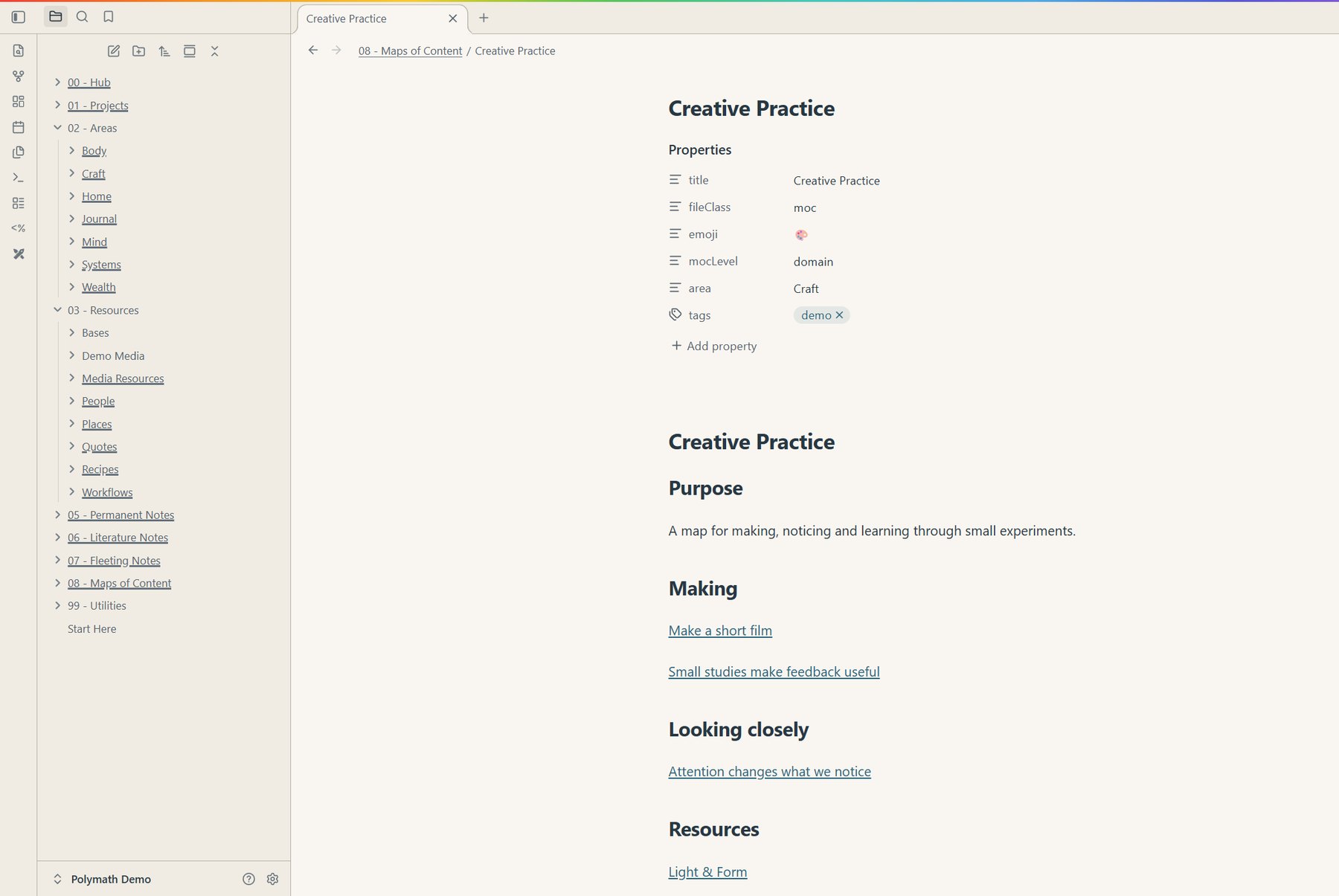
Structure
Projects, areas, resources, journal and ideas, already set up in folders — with maps of content that pull related notes together.
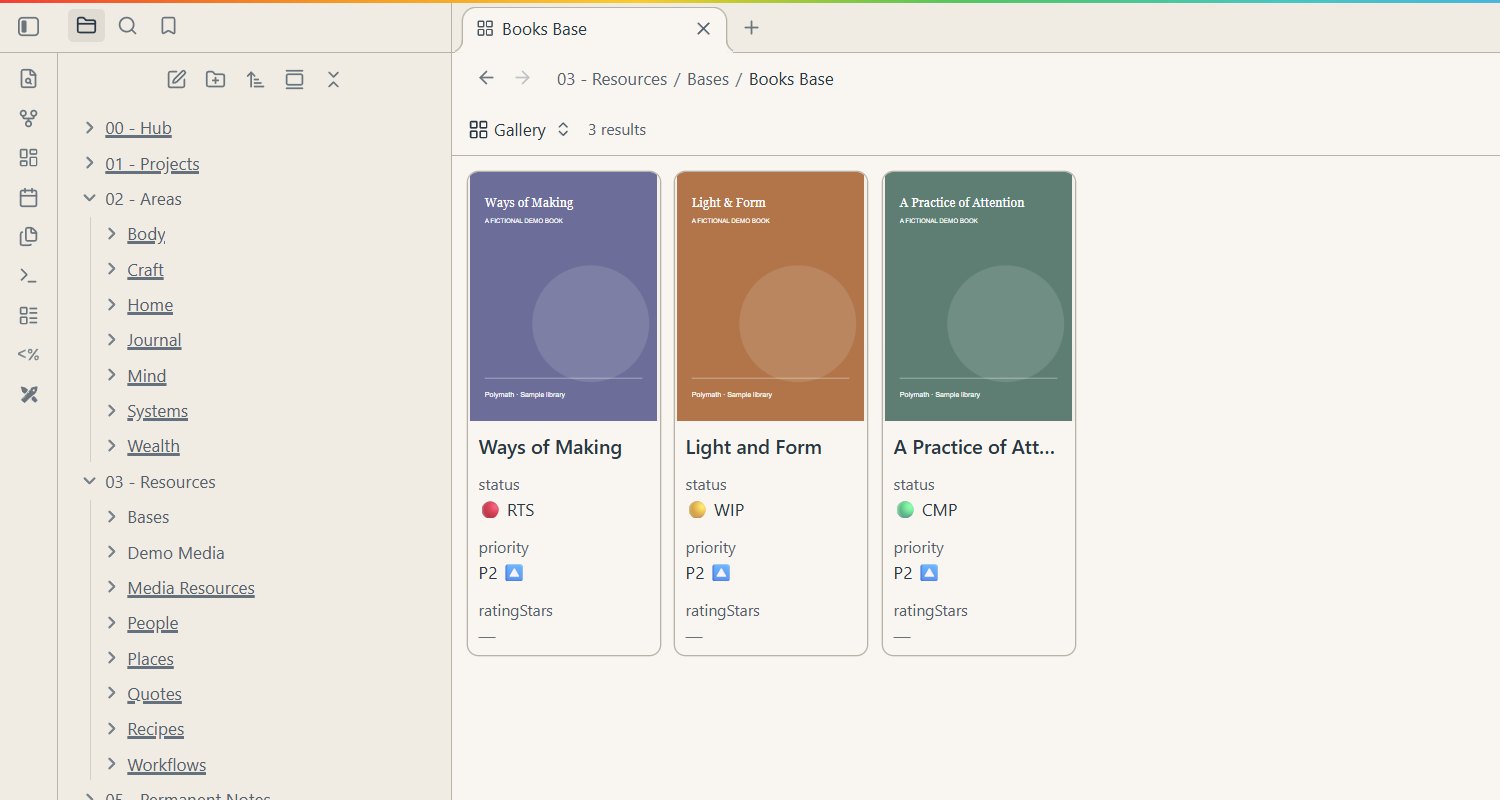
Libraries
Ready-made libraries for what you read, watch and learn, shown as a gallery with covers using Obsidian's own Bases.
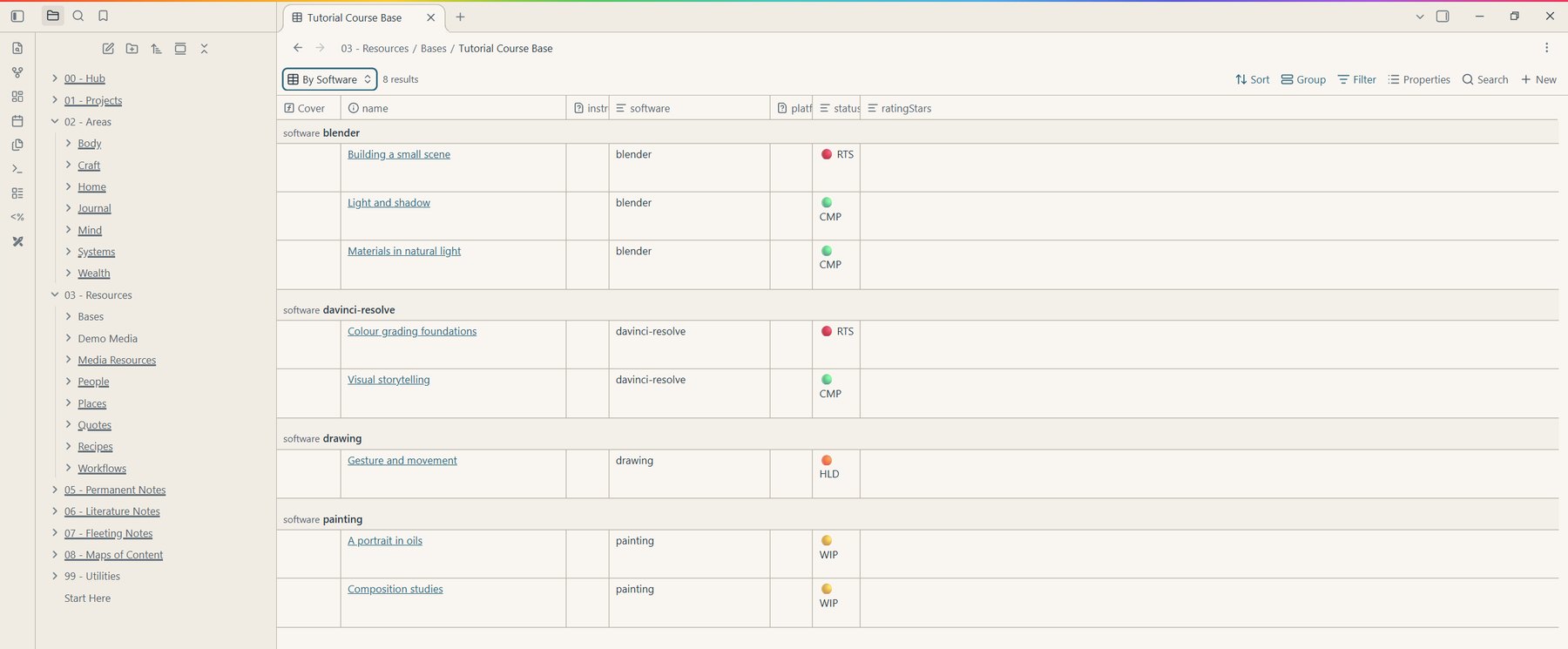
Tables
Tutorials grouped by software, with status at a glance. Every table is a plain Obsidian Base you can change.
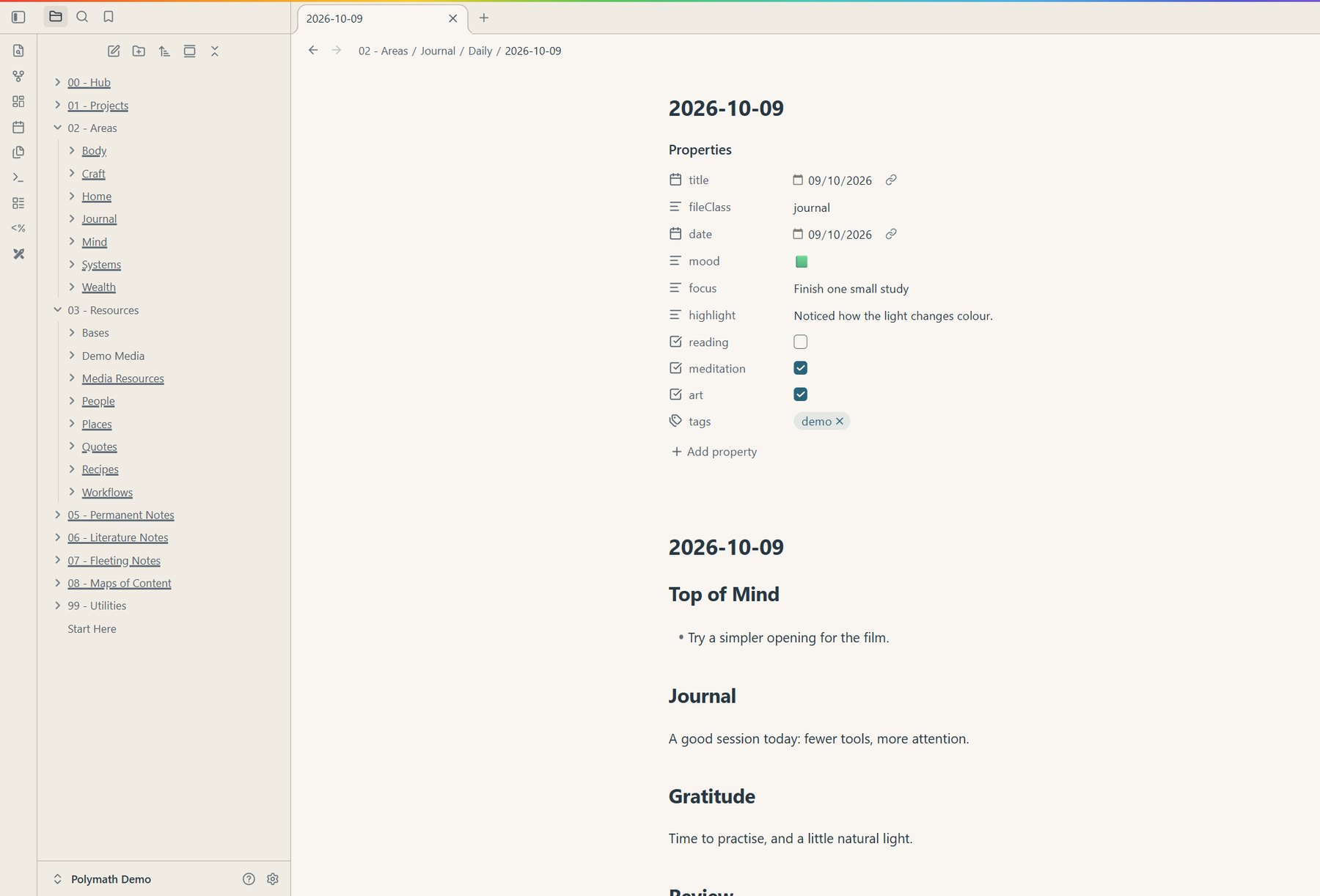
Daily notes
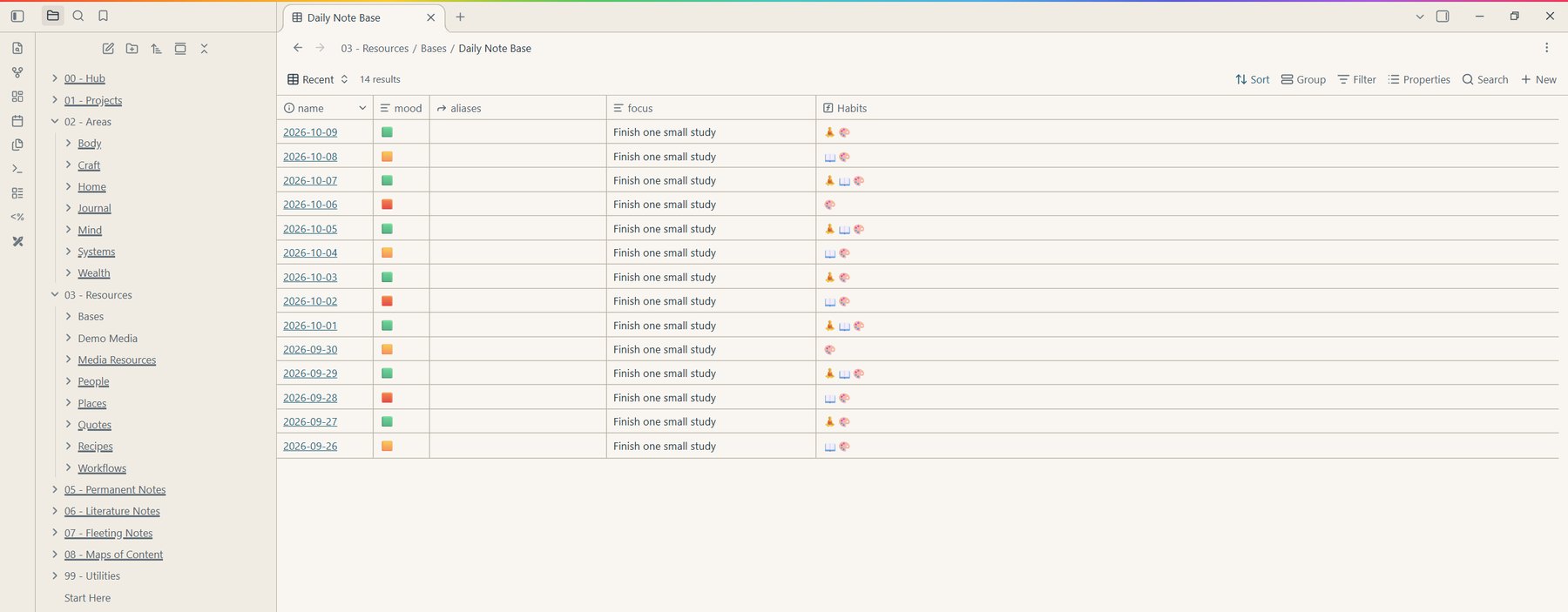
A template with mood, focus, habits and space to write — created for you each morning.
Journal
Every daily note rolled into one table, so patterns in mood, focus and habits are easy to see.
System map
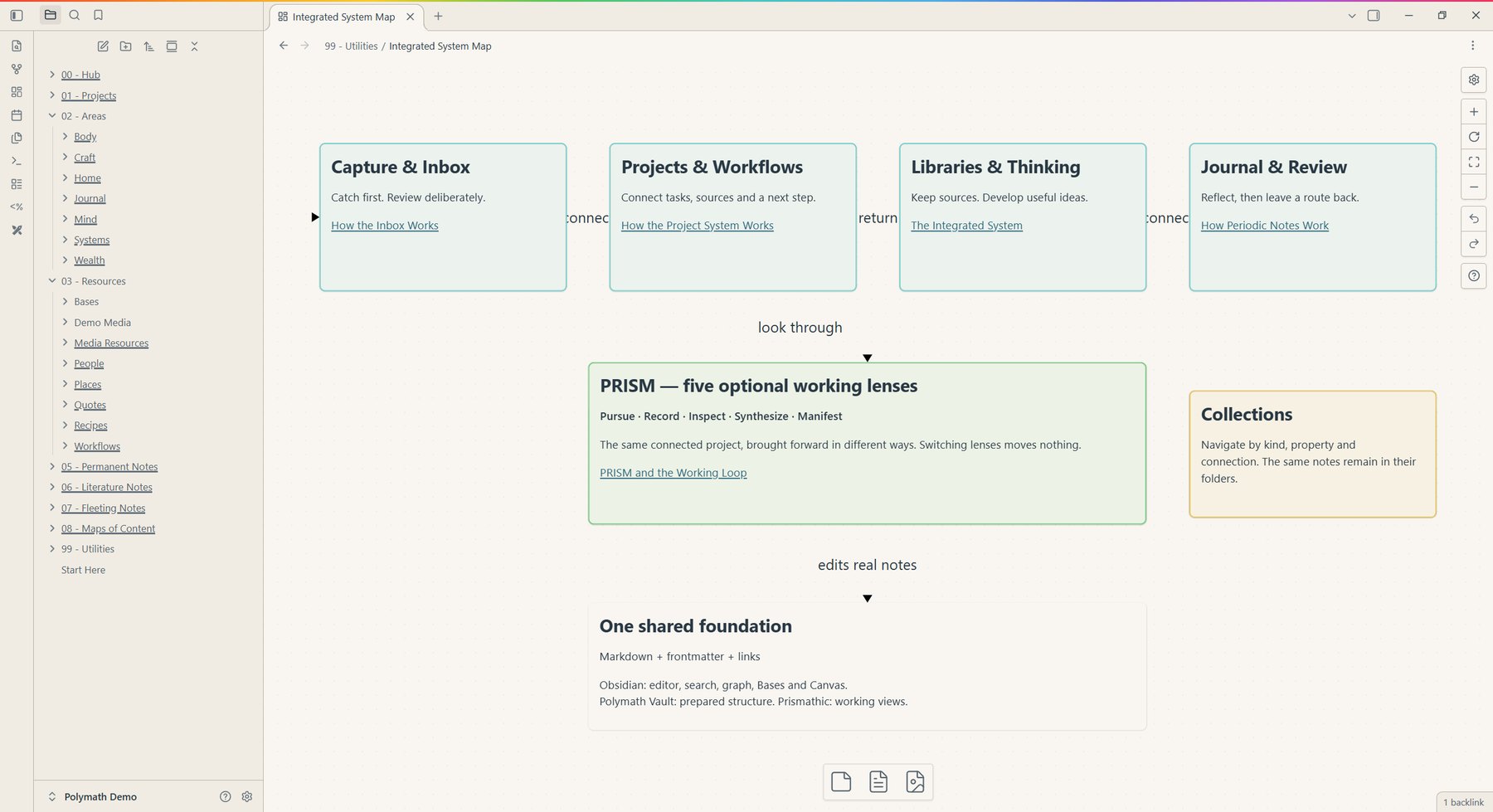
A visual map of the whole system — capture, projects, libraries and review — so you're never guessing where something goes.
PRISM · Five ways to look at the same work
Pursue, Record, Inspect, Synthesize, Manifest. PRISM brings different parts of a project forward without moving a single note.
Follow a possibility
Gather influences, references and possibilities. You don't need a finished brief to begin.
Keep it before it goes
Capture material with its source intact — the note, the clip, the link, and where it came from.
Look closer
Process, question and understand what you gathered, instead of just piling it up.
Draw it together
Connect the fragments into a direction or a decision you can act on.
Make it real
Make, finish, deliver — and keep what you learned for the next one.
Optional lenses, not compulsory stages. Choosing a lens moves nothing — it changes what comes forward.
Choose your starting point
For artists, filmmakers, lifelong learners and people whose interests refuse to fit in one box.
The founding list
The prepared system — structure, libraries, templates and guides, with Prismathic configured to drive it.
Sales haven't opened yet — joining is free and isn't a purchase. When it opens it's one payment, yours permanently, with a year of updates. After that, updates are an optional €29 a year. Never required.

Made by Darragh Dempsey
Polymath Vault grew out of my own mix of paintings, films, learning, references and ideas I wanted to come back to. It's four years of that system, cleaned up and handed over — built as part of The Polymath Journey.
A few good questions
Yes. Polymath Vault is a prepared Obsidian vault with the Prismathic plugin. Obsidian is free and handles your notes, editing, links, search and storage. You'll be asked to enable the included community plugins when you first open it.
Prismathic is the free plugin — it adds project dashboards, collections and working lenses to any Obsidian vault. Polymath Vault is the prepared system it was built to drive: the folders, templates, libraries, guides and settings, already wired together.
The folder structure, note templates, libraries, guides and Prismathic's working views, configured together. Your own notes and projects fill the space. Obsidian Sync, paid AI services and any automatic capture service are not included.
Possibly not — Prismathic might be. The plugin works over the notes you already have. The Vault is for people who want the whole structure ready, rather than adapting their own.
Mobile hasn't been tested yet. The current walkthrough is desktop first, and tested device support will be listed before sales open.
No. The founding list is for launch updates and keeps the founding price for you. There's no checkout, deposit or pre-order.
There's nothing on sale yet. The price, exactly what you receive, and the refund terms will all be stated before you can buy.
No. Start with your inbox, your journal, or one piece of work. Bring in the other views when they help.
They stay exactly where they are — Markdown files in a folder on your own disk, with their properties and links intact, readable in any text editor. Prismathic's views and controls need the plugin switched on; your notes never do.
The founding list
Hear first when Polymath Vault opens, and keep the founding price. Joining is free — no purchase, no deposit.
Free, through Substack — unsubscribe any time. Or subscribe on Substack ↗